
Shipping
Select the items stored in your Korean Mailbox ID and enter your delivery address to request international shipping.
To begin, go to TMMBOX → My Inventory → Request Shipping.
Start Shipping by Selecting Your Items
You can request shipping only for items that have completed Confirm Purchase. If you select multiple items together, they will be consolidated into one box when possible, helping reduce shipping costs.
You can request shipping only for items that have completed Confirm Purchase.
If you select multiple items together, they will be consolidated into one box when possible, helping reduce shipping costs.
Start Shipping & Select Items
Click the 'Request Shipping' button in My Inventory to begin.
Then select the package(s) you would like to ship.
When multiple items are selected, they will be consolidated into a single box within allowable limits to reduce international shipping fees.
Click the 'Request Shipping' button in My Inventory to begin.
Then select the package(s) you would like to ship.
When multiple items are selected, they will be consolidated into a single box within allowable limits to reduce international shipping fees.
Enter Delivery Address
Please enter the address where you would like to receive your shipment.
TMMBOX ships only via EMS and K-Packet. Shipping is not available to countries that do not support EMS or K-Packet.
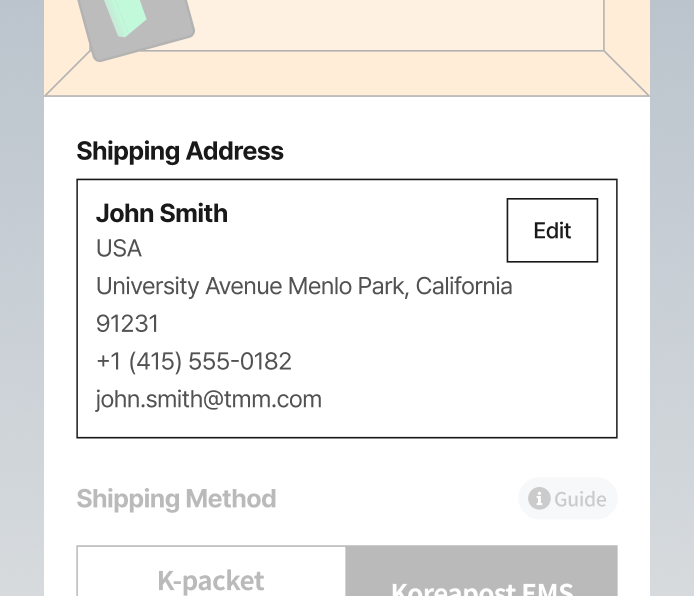
Please enter the address where you would like to receive your shipment.
TMMBOX ships only via EMS and K-Packet. Shipping is not available to countries that do not support EMS or K-Packet.
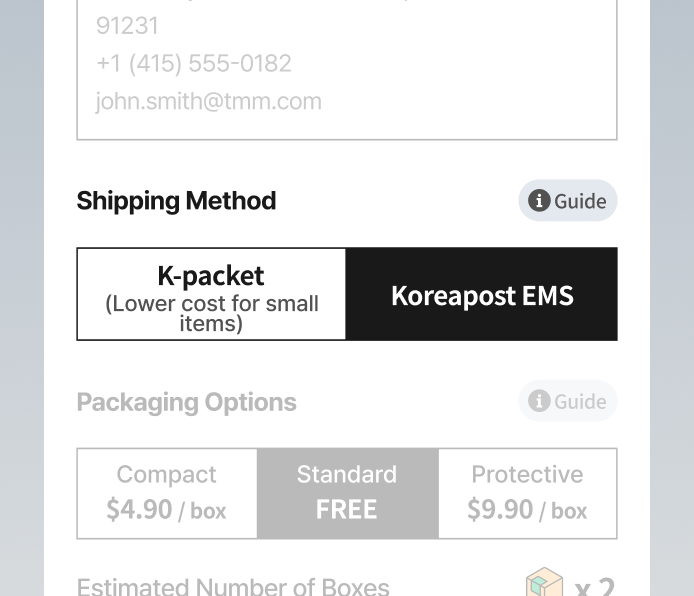
Select Shipping Method
EMS
Fast and reliable international shipping.
K-Packet
Cost-effective shipping for small and lightweight items.
- Lower cost than EMS
- No compensation for damage during transit
- Available to select countries only (20 countries)
- Maximum 2kg per package / one package only / total dimensions (L + W + H) must be under 55cm
EMS
Fast and reliable international shipping.
K-Packet
Cost-effective shipping for small and lightweight items.
- Lower cost than EMS
- No compensation for damage during transit
- Available to select countries only (20 countries)
- Maximum 2kg per package / one package only / total dimensions (L + W + H) must be under 55cm
Select Packaging Option
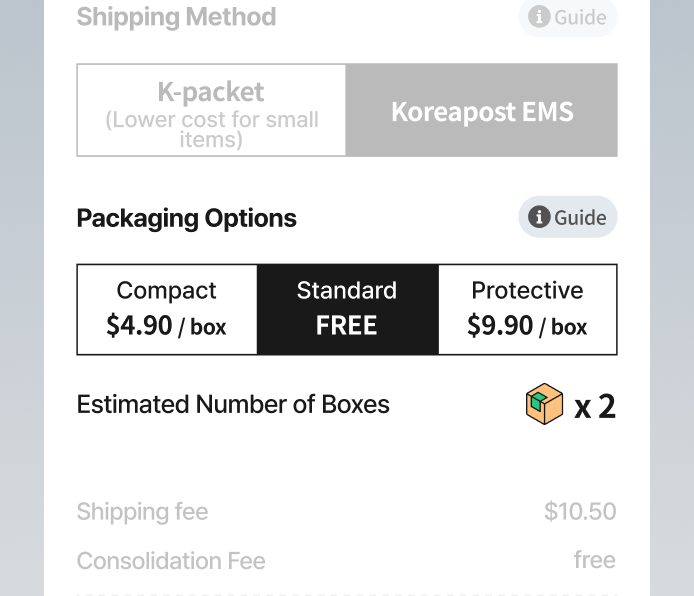
You can choose a packaging option to reduce shipping costs or increase protection.
Economy Packaging
- Applies minimal packaging to reduce shipping costs.
- Not recommended for fragile items. Additional fees may apply.
Standard Packaging
- Uses appropriate packaging materials based on the item's size and condition.
Safe Packaging
- Adds extra cushioning to reduce the risk of damage. Additional fees apply.
You can choose a packaging option to reduce shipping costs or increase protection.
Economy Packaging
- Applies minimal packaging to reduce shipping costs.
- Not recommended for fragile items. Additional fees may apply.
Standard Packaging
- Uses appropriate packaging materials based on the item's size and condition.
Safe Packaging
- Adds extra cushioning to reduce the risk of damage. Additional fees apply.
Shipping Payment
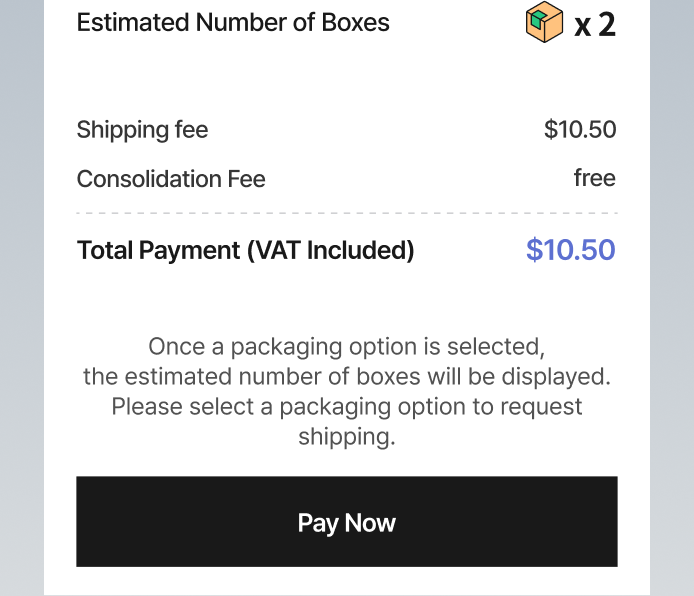
The final payment amount is calculated based on your selected shipping and packaging options.
Please review the total amount before proceeding with payment. Once payment is completed, your shipping request will be finalized.
The final payment amount is calculated based on your selected shipping and packaging options.
Please review the total amount before proceeding with payment. Once payment is completed, your shipping request will be finalized.
Check Shipping Details
Completed shipping requests can be viewed in My Shipments.
Click t('tmmBoxShipments:view_details') to check:
- Current shipping status
- Delivery address
- Payment details
Shipping status is displayed as follows:
- Preparing Shipment
- Departed from Korea
- Arrived at Destination
- Delivered
K-Packet tracking is not available within TMMBOX. Please use the provided tracking number to check the shipment status directly with the carrier.
Completed shipping requests can be viewed in My Shipments.
Click t('tmmBoxShipments:view_details') to check:
- Current shipping status
- Delivery address
- Payment details
Shipping status is displayed as follows:
- Preparing Shipment
- Departed from Korea
- Arrived at Destination
- Delivered
K-Packet tracking is not available within TMMBOX. Please use the provided tracking number to check the shipment status directly with the carrier.
View Detailed Shipping Status
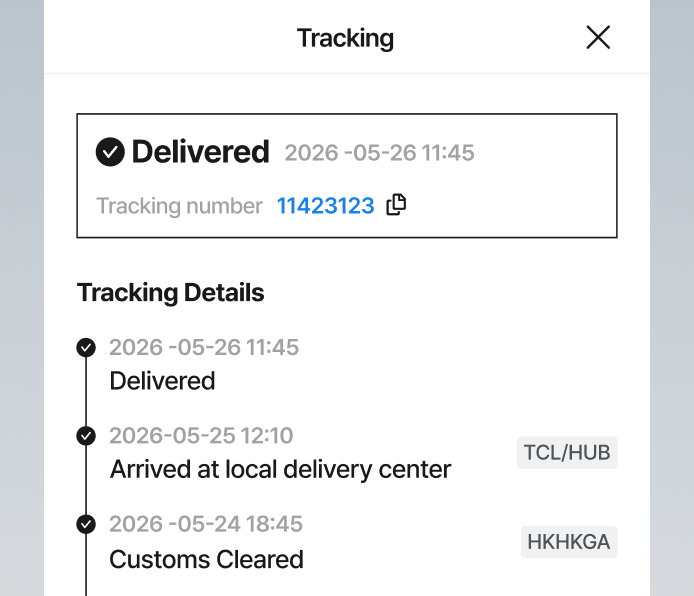
To see more detailed shipping updates, click the 'Track Shipment' button.
In the tracking view, you can check the following information:
- Tracking number
- Transit route
- Customs clearance status
- Shipment progress timeline
To see more detailed shipping updates, click the 'Track Shipment' button.
In the tracking view, you can check the following information:
- Tracking number
- Transit route
- Customs clearance status
- Shipment progress timeline
Customs Prepayment Notice
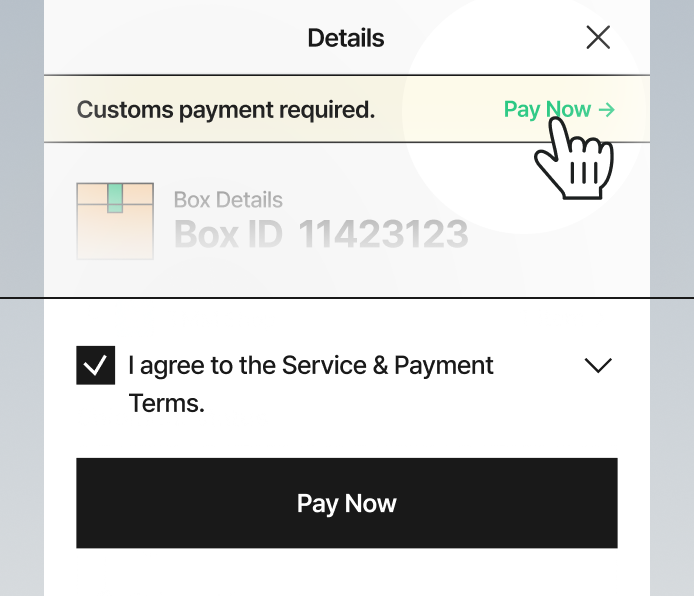
If customs prepayment is required during shipping, a customs payment notice will appear in My Shipments.
Please review the indicated customs amount and complete payment.
Once customs payment is completed, the shipment will proceed normally.
If customs prepayment is required during shipping, a customs payment notice will appear in My Shipments.
Please review the indicated customs amount and complete payment.
Once customs payment is completed, the shipment will proceed normally.