
Arrival
When an item arrives at your Mailbox ID, TMM verifies the delivery and matches it with your purchase information to complete check-in.
Checked-in items can be viewed in TMMBOX > My Inventory.
Check Your Items in My Inventory
If you purchased from TMM and completed payment, the order information is automatically created in My Inventory.
If you purchased from TMM and completed payment, the order information is automatically created in My Inventory.
Before Arrival:
Pending ArrivalThe seller has not yet shipped the item to your Mailbox ID.
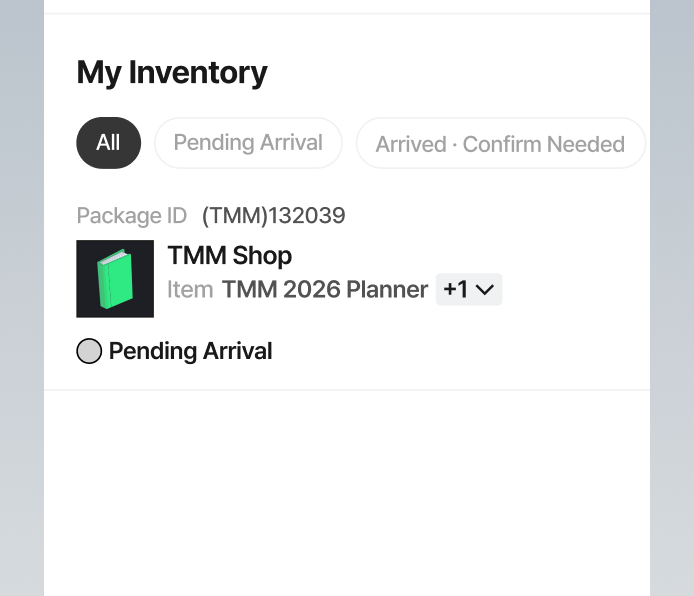
The seller has not yet shipped the item to your Mailbox ID.
Arrival Status:
Arrived · Confirm NeededThe item has been delivered to your Mailbox ID and warehouse check-in has been completed.
Click 'Item Review' to view the actual arrival details.
Storage begins when the item arrives, and the storage period starts counting down.
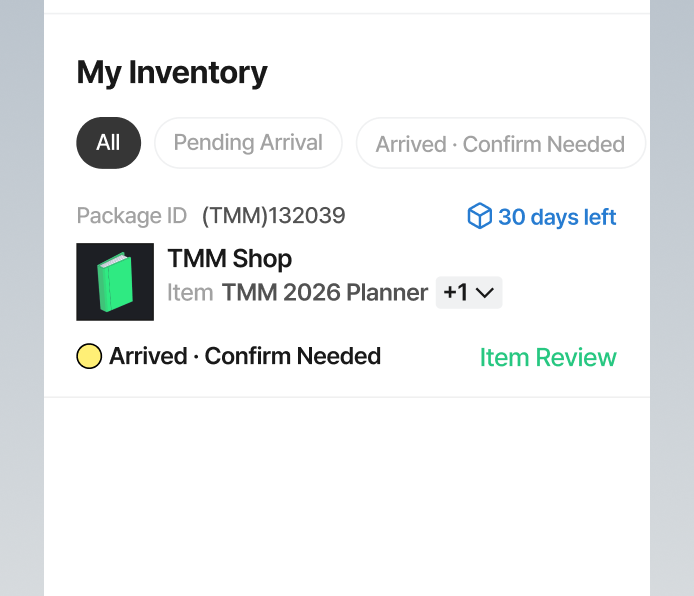
The item has been delivered to your Mailbox ID and warehouse check-in has been completed.
Click 'Item Review' to view the actual arrival details.
Storage begins when the item arrives, and the storage period starts counting down.